











q-Point · Quality management

One connected quality system, built around your Microsoft 365
Bring documents, corrective and preventive actions, incidents, audits, training and equipment together in one quality management platform. Keep traceable records and be ready for inspection.
Secured in SharePoint
End-to-end traceability
Records linked to standards
Enforced workflow rules
why q-point
Bring your quality records together in one place
Quality records are often split across SharePoint folders, spreadsheets, email and separate systems. When an inspection comes round, your team spends days pulling the evidence together by hand.
qPoint connects them in one system, so your team spends less time searching and more time improving quality.
Keep documents in SharePoint
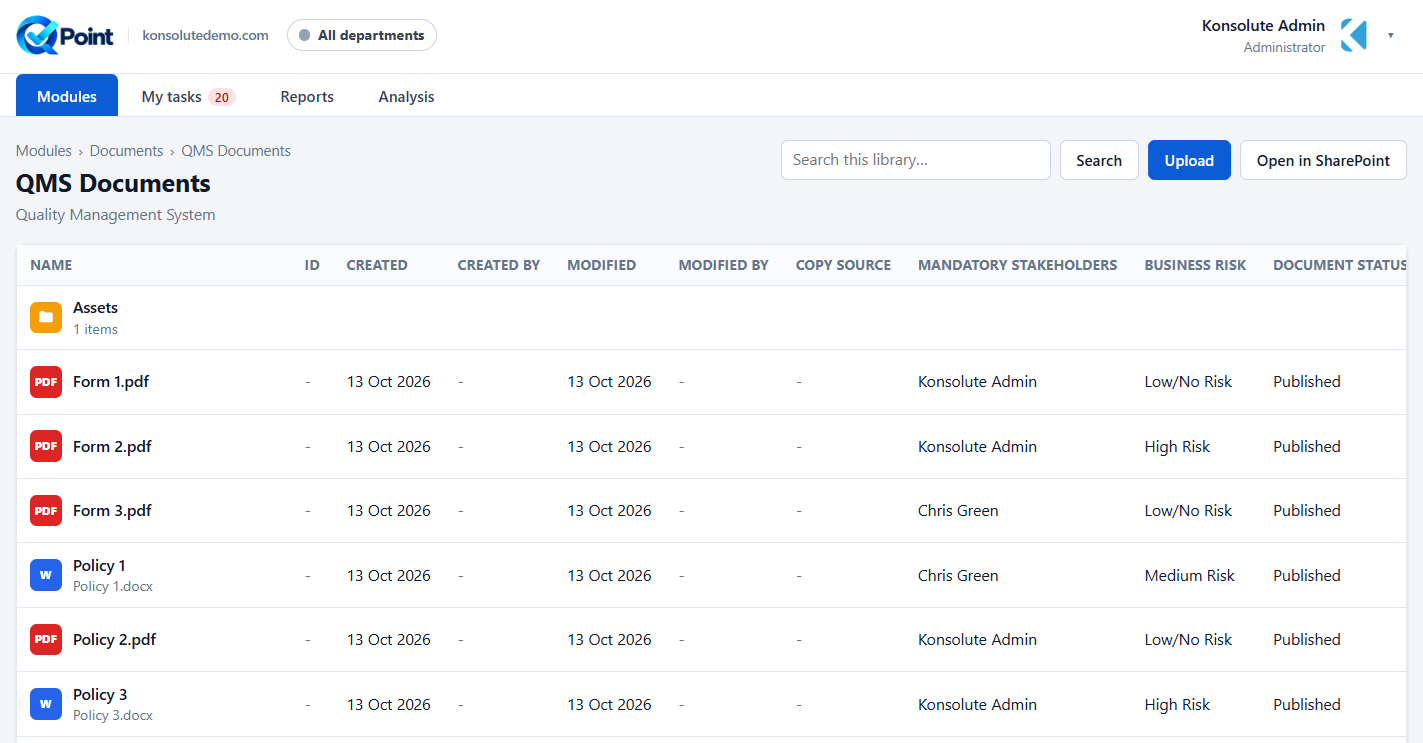
Use your existing libraries, metadata, version history and permissions, with no separate document store.
Connect your quality processes
Link incidents, CA/PAs, audits, training and equipment to see quality activity across your organisation.
Trace every action
Follow investigations, actions and approvals through structured workflows, with a full audit history.
Be ready for inspection
Tag records to standards and clauses, so the evidence is there when an auditor asks.
what we provide
Six modules for your quality team
Switch on the modules each department needs. They share one set of records, so an audit finding, a CA/PA and the training it triggers stay linked.
Controlled document management
Manage controlled documents in your existing SharePoint Online libraries, or connect other systems where an API is available. Track versions, schedule reviews and apply sensitivity labels and archiving through Power BI and Power Automate.
Corrective and preventive action
Move each CA/PA from open to closed. Find the root cause with 5 Whys or fishbone, score risk on a 5×5 matrix and check the fix worked with a scheduled effectiveness check.
Incidents and occurrences
Let anyone report an occurrence in under a minute. Grade severity, flag reports for regulators, apply Duty of Candour where it applies and raise a linked CA/PA from any report.
Audit management
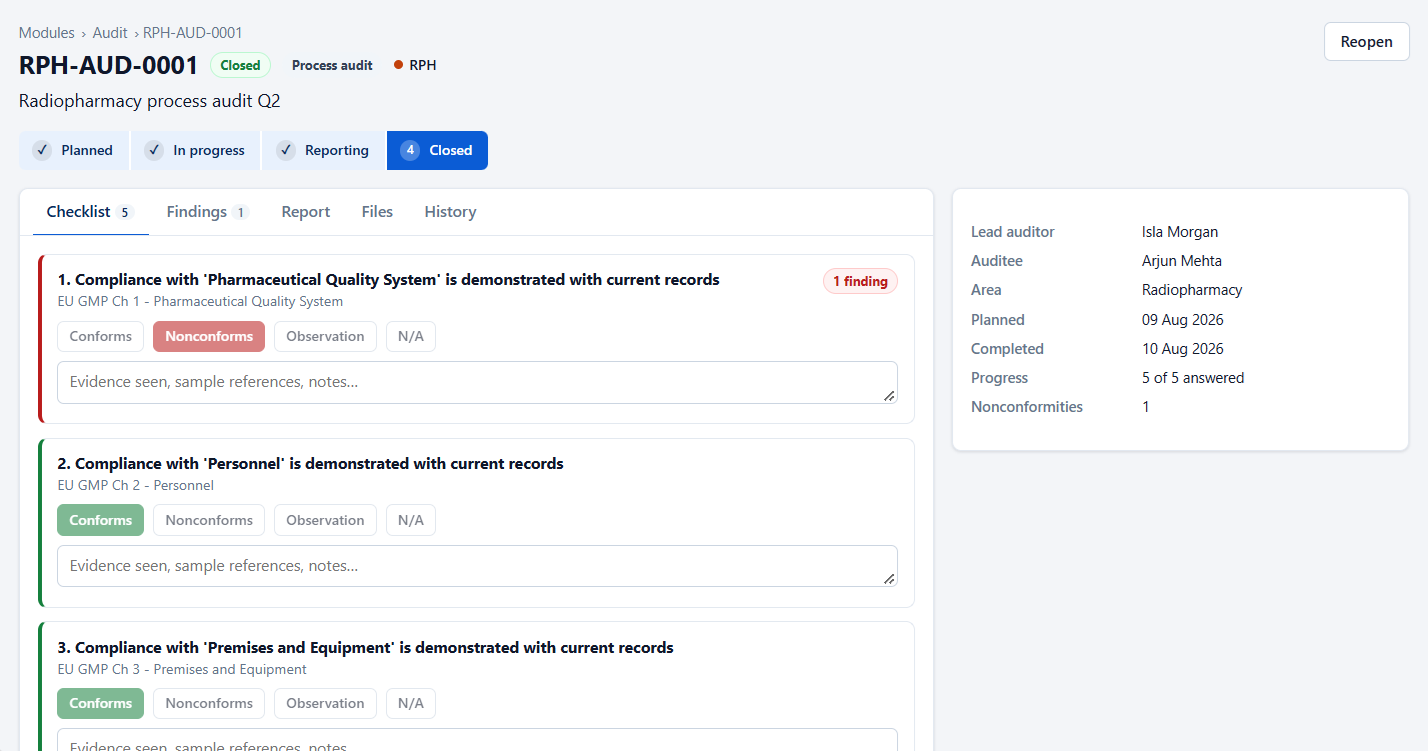
Plan the year's internal audits, use reusable checklists linked to standards and clauses, and raise a CA/PA from any finding. Audits can't close until every nonconformity has an action.
Training and competency
Know who's trained and who's competent. Set requirements and renewal periods, trigger retraining when an SOP changes and see compliance in a colour-coded training matrix.
Equipment and asset management
Keep an asset register with your own fields. Schedule calibration, servicing and safety checks, and see every incident and CA/PA linked to each asset. A failed check prompts an occurrence report.
Standards and inspection readiness
Turn quality records into evidence
Preparing for an audit shouldn't mean days of searching folders, spreadsheets and email. qPoint links each record to the standards and clauses it supports.
Standards built in
Track ISO 9001, ISO 14001, ISO 27001 and ISO 45001, plus frameworks such as ISO 15189, GMP and IR(ME)R, or add your own.
Clause tagging
Tag CA/PAs, incidents, audits, documents, training and equipment to clauses, then filter by clause to see the full picture.
Clause management
Edit, approve, reset or archive clauses, and sort them by risk level and due date.
Evidence packs
Export the records and evidence for any clause in a single report for your auditor.
Dashboarding & reporting
Make quality reporting simpler and more reliable
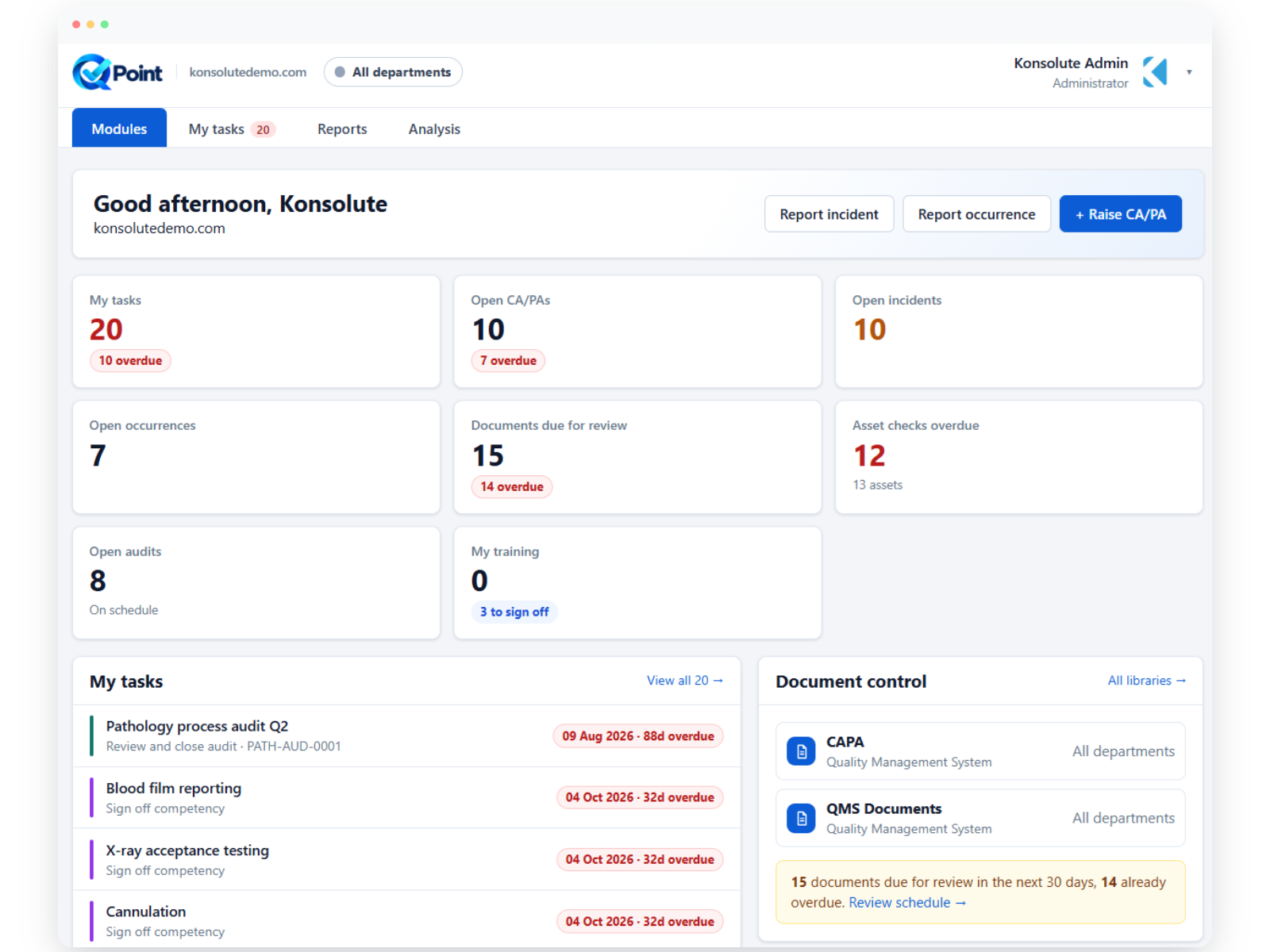
Bring tasks, trends and open actions together, so your team knows what's due and managers can see where risk is building.
My Tasks
See every investigation, action, approval, sign-off, equipment check and document review assigned to you in one list.
20 ready-made reports
Filter, choose columns, export to CSV or print to PDF.
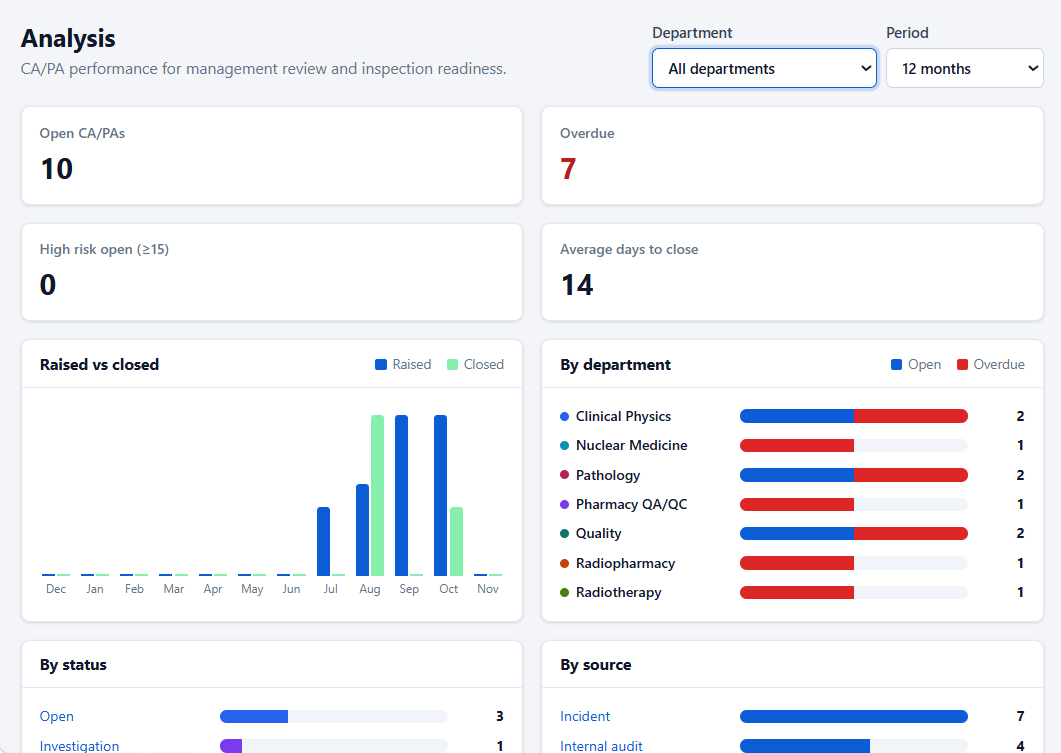
Analysis dashboard
Track trends, open risk, CA/PA effectiveness, training compliance, audit findings and the most-cited clauses for management review.
MICROSOFT-NATIVE BY DESIGN
Built around the technology your organisation already uses
qPoint has been designed around the Microsoft ecosystem, allowing organisations to use existing technology investments and trusted identity, data and management capabilities as part of their sustainability strategy.

Microsoft 365
Secure cloud architecture and intelligent data services.

Microsoft Azure
Secure cloud architecture and intelligent data services.

Microsoft Intune
Connected device estate data to understand usage and carbon impact
Security and governance
Microsoft sign-in
Use your existing MFA, Conditional Access and leaver processes, with no new passwords.
Your documents stay yours
qPoint doesn't copy your documents. Disconnect at any time and everything stays in SharePoint.
Sensitivity labels and archiving
Apply Microsoft 365 sensitivity labels and archive documents through Power BI and Power Automate.
Application-enforced rules
No closure without verification, no self sign-off of competency, and Duty of Candour before an incident closes.
Department access
People see only the records and libraries for their department.
Full audit trail
Every change, comment and status update is time-stamped and attributed.
FREQUENTLY ASKED QUESTIONS
qPoint FAQs
Common questions about the product
qPoint is a quality management system built on Microsoft 365. It brings controlled documents, CA/PA, incidents, audits, training and equipment into one platform.
No. Documents stay in your SharePoint libraries with their metadata, versions and permissions. qPoint holds the quality records that link to them. SharePoint Online is the main document integration, and qPoint can also connect to other third-party systems where an API is available.
No. Staff sign in with Microsoft Entra ID, so your MFA, Conditional Access and leaver processes still apply.
qPoint tracks ISO 9001, ISO 14001, ISO 27001 and ISO 45001, plus frameworks such as ISO 15189, GMP and IR(ME)R. You can also add your own.
An effectiveness check is scheduled after each CA/PA closes. If the fix didn’t work, a linked follow-up CA/PA is raised.
Yes. Each department gets its own workspace and reference prefix, and you can connect libraries from a partner’s Microsoft 365 tenant.
In Microsoft Azure UK South, with each organisation’s data kept separate.
Book a demo. We’ll show you qPoint running on sample data and what it takes to connect it to your Microsoft 365.
Ready for your next audit?
Record the issue. Fix the cause. Prove it worked.
See how qPoint can bring your quality processes into one system built around your Microsoft 365, with every record traceable from first report to closure.