







q-Point · Quality management software for Microsoft 365

One connected quality management system, built around your Microsoft 365
qPoint is QMS software that brings controlled documents, corrective and preventive actions, incidents, audits, training and equipment together in one quality management platform. Your documents stay in your own SharePoint, every record is traceable, and you’re ready for inspection.
Secured in SharePoint
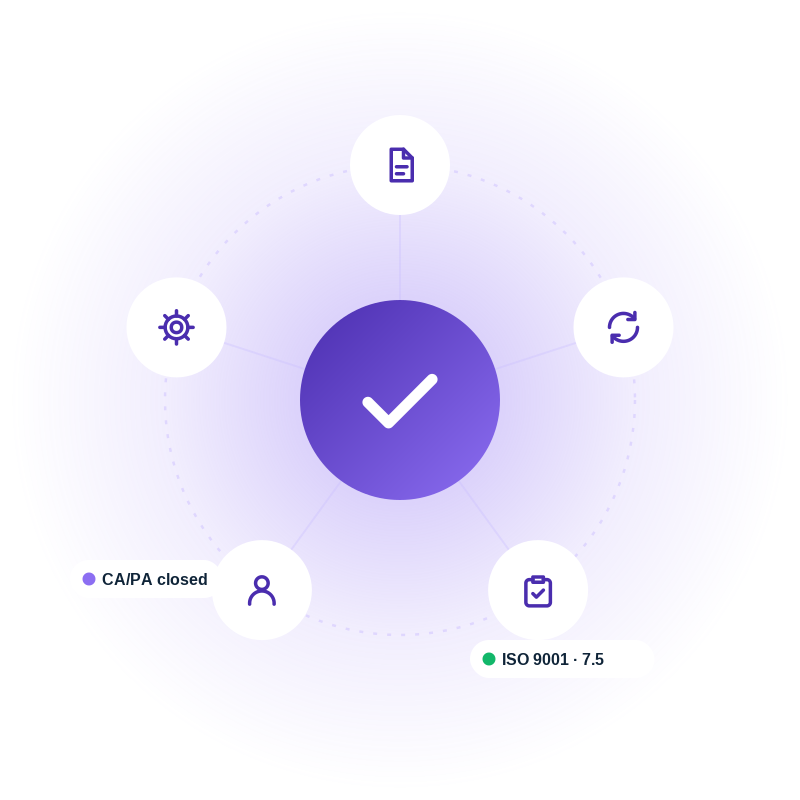
End-to-end traceability
Records linked to standards
Enforced workflow rules
why q-point
Bring your quality records together in one place
Quality records are often split across SharePoint folders, spreadsheets, email and separate systems. When an inspection comes round, your team spends days pulling the evidence together by hand.
qPoint connects them in one system, so your team spends less time searching and more time improving quality.
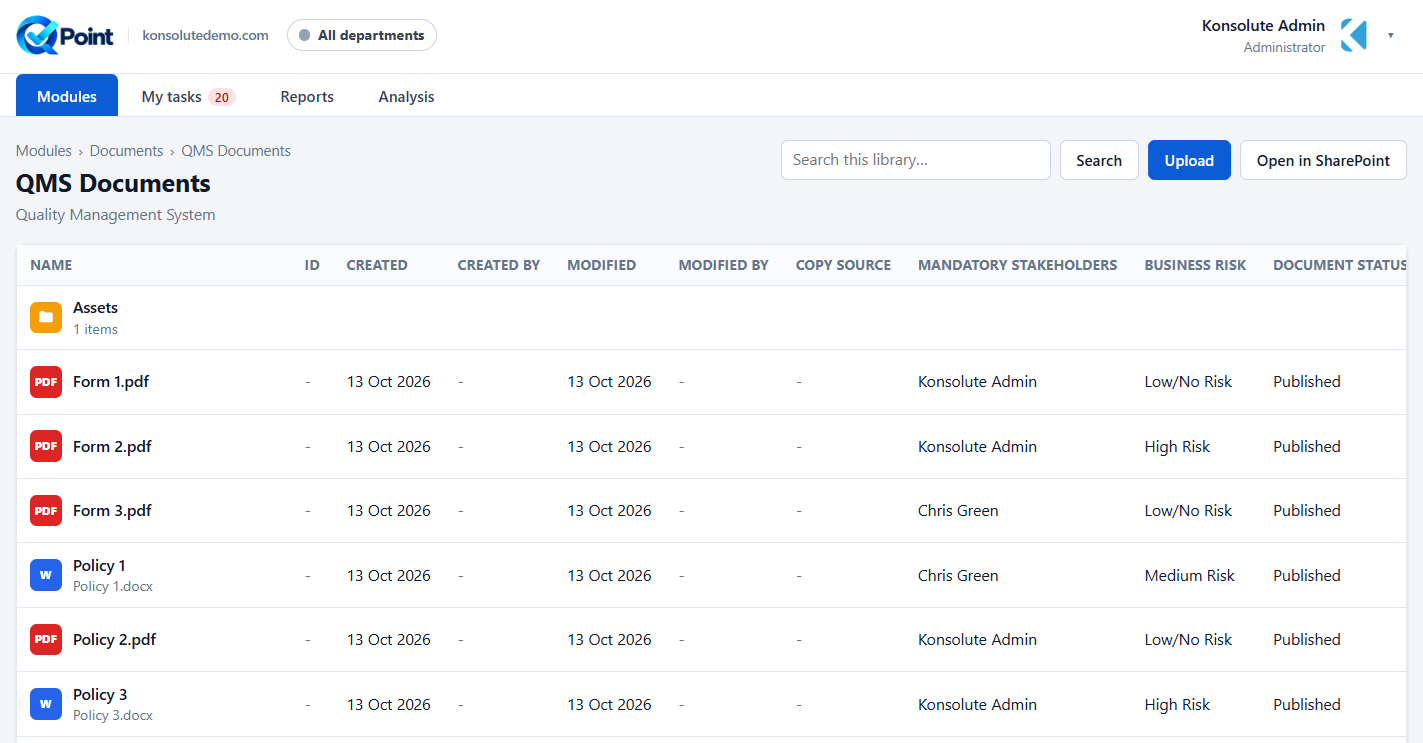
Keep documents in SharePoint
Use your existing libraries, metadata, version history and permissions, with no separate document store.
Connect your quality processes
Link incidents, CA/PAs, audits, training and equipment to see quality activity across your organisation.
Trace every action
Follow investigations, actions and approvals through structured workflows, with a full audit history.
Be ready for inspection
Tag records to standards and clauses, so the evidence is there when an auditor asks.
what we provide
Six quality management modules for your team
Switch on the QMS modules each department needs. They share one set of records, so an audit finding, a corrective action and the training it triggers stay linked, with no separate CAPA software, audit management software or training matrix spreadsheet to keep in step.
Document control
Manage controlled documents in your existing SharePoint Online libraries, or connect other systems where an API is available. Track versions, schedule reviews and apply sensitivity labels and archiving through Power BI and Power Automate.
Corrective and preventive action (CAPA)
Move each CA/PA from open to closed. Run root cause analysis with 5 Whys or fishbone, score risk on a 5×5 matrix and check the fix worked with a scheduled effectiveness check.
Incident and occurrence reporting
Let anyone report an occurrence in under a minute. Grade severity, flag reports for regulators, apply Duty of Candour where it applies and raise a linked CA/PA from any report.
Audit management and internal audits
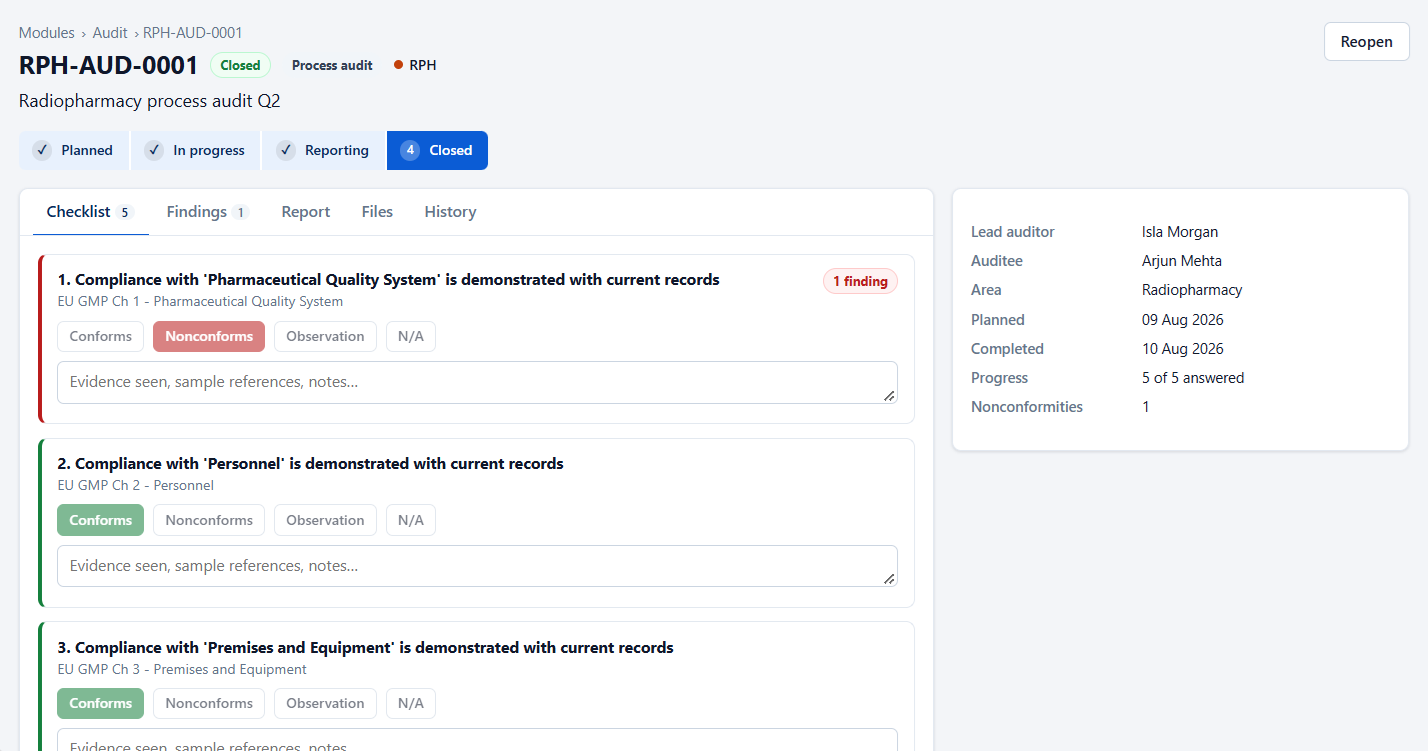
Plan the year's internal audit programme, use reusable checklists linked to standards and clauses, and raise a CA/PA from any finding. Audits can't close until every nonconformity has an action.
Training matrix and competency management
Know who's trained and who's competent. Set requirements and renewal periods, trigger retraining when an SOP changes and see compliance in a live, colour-coded training matrix.
Equipment and calibration management
Keep an equipment register with your own fields. Schedule calibration, servicing and safety checks, and see every incident and CA/PA linked to each asset. A failed check prompts an occurrence report.
Standards and inspection readiness
Turn quality records into evidence
Preparing for an audit shouldn't mean days of searching folders, spreadsheets and email. qPoint links each record to the standards and clauses it supports.
Standards built in
Use qPoint as your ISO 9001 software, and track ISO 14001, ISO 27001 and ISO 45001, plus frameworks such as ISO 15189, GMP and IR(ME)R, or add your own.
Clause tagging
Tag CA/PAs, incidents, audits, documents, training and equipment to clauses, then filter by clause to see the full picture.
Clause management
Edit, approve, reset or archive clauses, and sort them by risk level and due date.
Evidence packs
Export the records and evidence for any clause in a single report for your auditor.
Dashboarding & reporting
Make quality reporting simpler and more reliable
Bring tasks, trends and open actions together, so your team knows what's due and managers can see where risk is building.
My Tasks
See every investigation, action, approval, sign-off, equipment check and document review assigned to you in one list.
20 ready-made reports
Filter, choose columns, export to CSV or print to PDF.
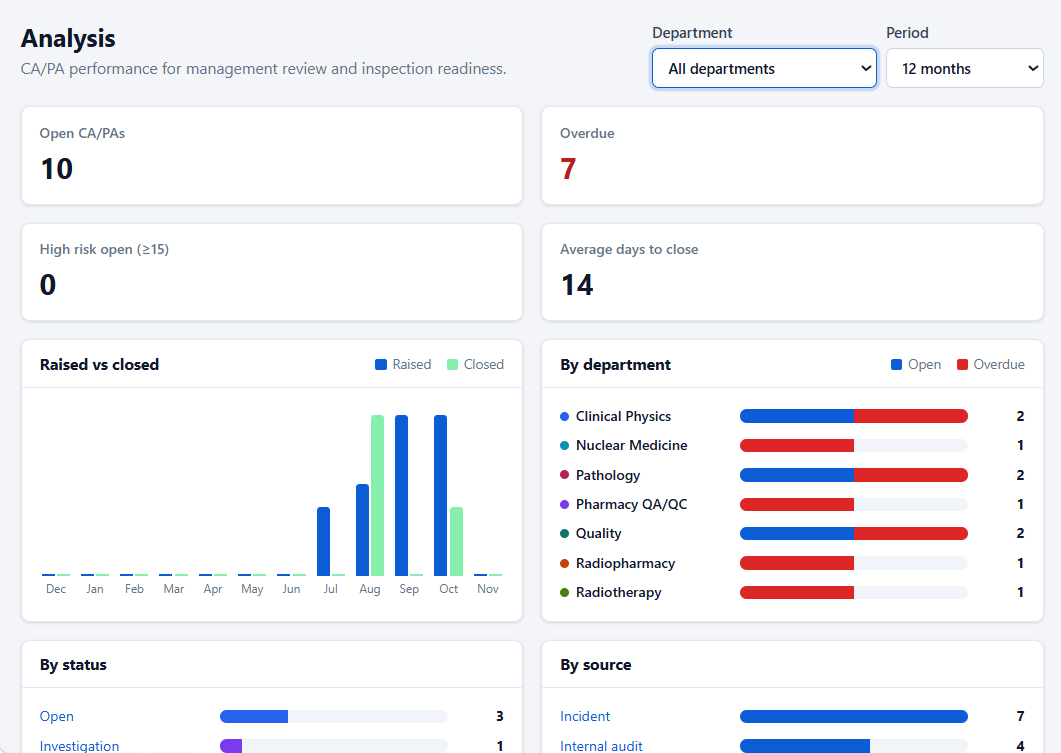
Analysis dashboard
Track trends, open risk, CA/PA effectiveness, training compliance, audit findings and the most-cited clauses for management review.
MICROSOFT-NATIVE BY DESIGN
Built around the Microsoft 365 your organisation already uses
qPoint has been designed around Microsoft 365, so you keep your SharePoint libraries, sign-in and permissions rather than moving documents into another system.

Microsoft 365
Secure cloud architecture and intelligent data services.

Microsoft Azure
Secure cloud architecture and intelligent data services.

Microsoft Intune
Connected device estate data to understand usage and carbon impact
Security and governance
Microsoft sign-in
Use your existing MFA, Conditional Access and leaver processes, with no new passwords.
Your documents stay yours
qPoint doesn't copy your documents. Disconnect at any time and everything stays in SharePoint.
Sensitivity labels and archiving
Apply Microsoft 365 sensitivity labels and archive documents through Power BI and Power Automate.
Application-enforced rules
No closure without verification, no self sign-off of competency, and Duty of Candour before an incident closes.
Department access
People see only the records and libraries for their department.
Full audit trail
Every change, comment and status update is time-stamped and attributed.
FREQUENTLY ASKED QUESTIONS
qPoint FAQs
Common questions about the product
qPoint is quality management software (QMS) built on Microsoft 365. It brings document control, corrective and preventive action (CAPA), incident reporting, internal audits, training and competency, and equipment calibration into one electronic quality management system, with your documents kept in your own SharePoint.
Yes. qPoint is an electronic quality management system (eQMS). It replaces spreadsheets, shared folders and email with linked records, enforced workflows and a full audit trail.
Yes. CAPA, audit management, incident reporting, document control, the training matrix and equipment calibration all run in qPoint and share one set of records, so you don’t need separate tools for each.
No. Documents stay in your SharePoint libraries with their metadata, versions and permissions. qPoint holds the quality records that link to them. SharePoint Online is the main document integration, and qPoint can also connect to other third-party systems where an API is available.
No. Staff sign in with Microsoft Entra ID, so your MFA, Conditional Access and leaver processes still apply.
qPoint tracks ISO 9001, ISO 14001, ISO 27001 and ISO 45001, plus frameworks such as ISO 15189, GMP and IR(ME)R. You can also add your own.
An effectiveness check is scheduled after each CA/PA closes. If the fix didn’t work, a linked follow-up CA/PA is raised.
Yes. Each department gets its own workspace and reference prefix, and you can connect libraries from a partner’s Microsoft 365 tenant.
In Microsoft Azure UK South, with each organisation’s data kept separate.
Book a demo. We’ll show you qPoint running on sample data and what it takes to connect it to your Microsoft 365.
Ready for your next audit?
Record the issue. Fix the cause. Prove it worked.
See how qPoint can bring your quality processes into one system built around your Microsoft 365, with every record traceable from first report to closure.